
Cyber threats continue to evolve, making reliable security software more important than ever. Whether you’re browsing the internet, shopping online, working remotely, or simply checking your email, protecting your personal data should be a priority.
Malwarebytes has built a strong reputation as one of the most recognized cybersecurity solutions available today, offering protection against malware, ransomware, phishing attacks, and other online threats. But with so many antivirus and security tools on the market, is Malwarebytes the right choice for your needs?
In this review, we’ll take an in-depth look at Malwarebytes, exploring its features, performance, pricing, advantages, disadvantages, and who it’s best suited for. By the end of this guide, you’ll have a clear understanding of whether Malwarebytes deserves a place on your computer.
VisionTech HQ Quick Verdict
| Category | Rating |
| Security Protection | ⭐⭐⭐⭐⭐ |
| Performance | ⭐⭐⭐⭐⭐ |
| Ease of Use | ⭐⭐⭐⭐⭐ |
| Value for Money | ⭐⭐⭐⭐☆ |
| Overall Rating | 4.8/5 |
Best For: Home users, students, professionals, and small businesses looking for reliable malware protection with an easy-to-use interface.
Malwarebytes is an excellent choice for users who want strong malware protection with a clean, beginner-friendly interface. While some advanced features require a Premium subscription, its security performance and ease of use make it one of the top cybersecurity solutions available.
What is Malwarebytes?
Malwarebytes is a cybersecurity software company best known for its powerful malware detection and removal capabilities. Designed for both individuals and businesses, the software helps protect computers and devices against a wide range of online threats, including malware, ransomware, spyware, phishing attacks, and potentially unwanted programs (PUPs).
Unlike traditional antivirus software that primarily relies on virus signature databases, Malwarebytes combines multiple detection technologies to identify both known and emerging threats. Its user-friendly interface makes it accessible to beginners while still offering the advanced protection expected by more experienced users.
Malwarebytes is available for Windows, macOS, Android, iOS, and Chromebook, making it a flexible option for users who want to secure multiple devices across different operating systems.
Whether you’re looking for an additional layer of protection alongside your existing antivirus or an all-in-one security solution, Malwarebytes has become a popular choice for millions of users worldwide.
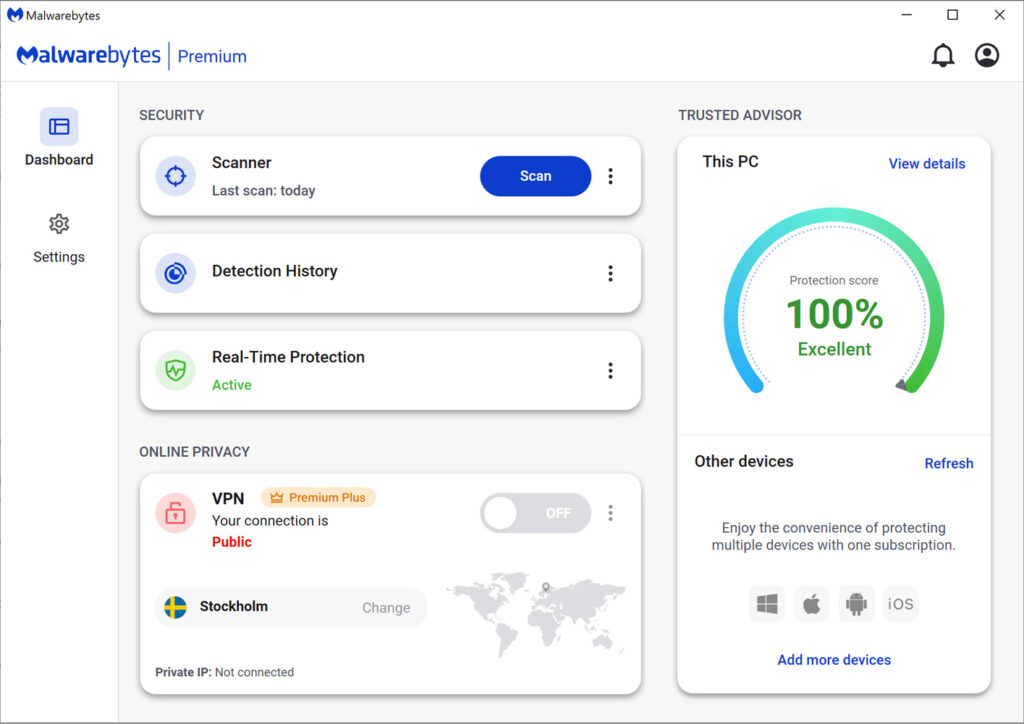
Malwarebytes offers multiple security features designed to detect and block modern cyber threats before they can compromise your device.
Key Features of Malwarebytes
Real-Time Protection
Malwarebytes continuously monitors your device for suspicious activity, helping to detect and stop malware before it has the chance to infect your system. This proactive approach provides an extra layer of security while you browse the web, download files, or use everyday applications.
Malware Detection and Removal
One of Malwarebytes’ biggest strengths is its ability to detect and remove a wide variety of threats, including viruses, spyware, ransomware, trojans, and potentially unwanted programs (PUPs). Its scanning engine is designed to identify both common and emerging threats quickly and efficiently.
Ransomware Protection
Ransomware attacks can lock you out of your files and demand payment for their release. Malwarebytes includes dedicated ransomware protection that monitors suspicious behaviour and helps prevent these attacks before they can encrypt your data.
Phishing and Web Protection
Malwarebytes helps protect users from malicious websites, phishing attempts, and fraudulent online scams by blocking access to dangerous web pages before they load.
Fast and Flexible Scans
Users can perform quick scans for routine security checks or full system scans for a more comprehensive examination of their devices. Scheduled scans can also help automate regular security checks without requiring constant manual intervention.
Cross-Platform Support
Malwarebytes is available for multiple operating systems, including Windows, macOS, Android, iOS, and Chromebook, allowing users to protect several devices under supported plans.
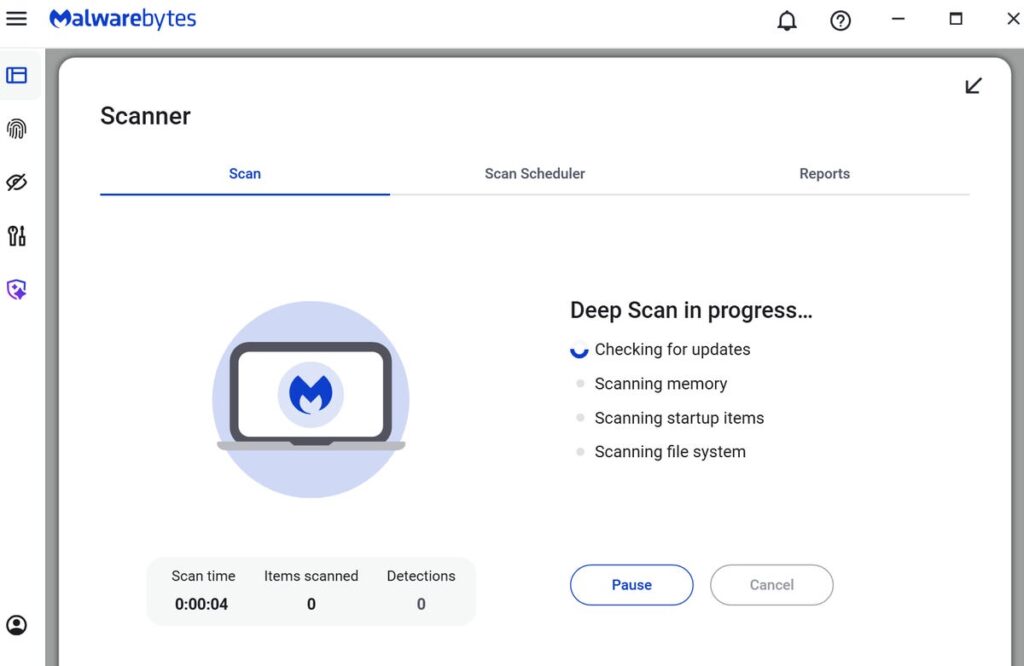
Malwarebytes combines an intuitive interface with powerful security tools, making it easy for users to monitor their device’s protection.
Pros and Cons
Pros
✔ Excellent Malware Detection
Malwarebytes is widely recognized for its ability to detect and remove malware, ransomware, spyware, and other online threats quickly and effectively.
✔ Easy to Use
The interface is clean, modern, and beginner-friendly. Even users with little technical experience can perform scans and manage security settings without confusion.
✔ Lightweight Performance
Unlike some security suites that consume significant system resources, Malwarebytes is designed to run efficiently in the background with minimal impact on everyday performance.
✔ Fast Scanning
Quick scans finish in a relatively short amount of time, making routine security checks convenient without interrupting your workflow.
✔ Multi-Platform Support
Malwarebytes supports Windows, macOS, Android, iOS, and Chromebook, making it a flexible choice for users with multiple devices.
Cons
✖ Free Version Has Limited Protection
While the free version is useful for scanning and removing existing threats, real-time protection is reserved for Premium plans.
✖ Premium Features Require a Subscription
Advanced features such as continuous protection and additional security tools are only available through paid plans.
✖ Limited Extra Features
Compared with some competitors, Malwarebytes focuses primarily on cybersecurity. Users looking for extras like parental controls, password managers, or cloud backup may need separate software.
✖ Some Features Vary by Device
The available features can differ depending on whether you’re using Windows, macOS, Android, or iOS, so it’s worth checking the plan details before purchasing.
VisionTech HQ Verdict
Malwarebytes stands out for its strong malware detection, ease of use, and lightweight performance. Rather than trying to include every possible security feature, it focuses on delivering reliable protection against modern threats. For many home users, that focused approach is one of its biggest strengths. However, if you’re specifically looking for an all-in-one security suite with a large collection of additional tools, you may want to compare Malwarebytes with other antivirus solutions before making a decision.
Performance & User Experience
One of Malwarebytes’ strongest qualities is its balance between powerful security and ease of use. From installation to everyday use, the software is designed to be straightforward, making it suitable for both beginners and experienced users.
Installing Malwarebytes is quick and uncomplicated, with a setup process that takes only a few minutes. Once installed, the dashboard presents the most important information clearly, allowing users to start a scan, view their protection status, or adjust settings without navigating through complicated menus.
During testing, Malwarebytes performs scans efficiently while maintaining a relatively low impact on overall system performance. Quick scans complete in a short amount of time, while full system scans provide a more thorough inspection without making the computer feel unusable. For most modern systems, the software runs quietly in the background without noticeably slowing everyday tasks such as web browsing, streaming, office work, or online meetings.
The software also delivers helpful notifications without becoming overly intrusive. Security alerts are clear and informative, giving users confidence that potential threats are being monitored without constantly interrupting their workflow.
Overall, Malwarebytes provides an experience that is both reliable and user-friendly. Its combination of strong protection, clean design, and efficient performance makes it an excellent choice for users who want dependable cybersecurity without unnecessary complexity.
💡 VisionTech HQ Tip: No antivirus software can guarantee 100% protection. Keeping your operating system updated, using strong passwords, and avoiding suspicious downloads are just as important as installing good security software.
Pricing
Malwarebytes offers both Free and Premium plans, giving users the flexibility to choose a level of protection that matches their needs and budget.
The Free version is a good option for users who want to scan their devices and remove existing malware. However, it does not include real-time protection, meaning it won’t actively prevent new threats from infecting your device.
For users looking for continuous protection, the Premium plans unlock additional features such as real-time threat detection, ransomware protection, phishing protection, and scheduled scans. Malwarebytes also offers plans for multiple devices, making it a practical option for families or users who own several computers and mobile devices.
Because subscription plans, pricing, and included features may change over time, it’s always recommended to visit the official Malwarebytes website for the most up-to-date information before making a purchase.
Note: Prices and available features may vary depending on your country and the subscription plan you choose.
💡 VisionTech HQ Tip: Don’t choose antivirus software based on price alone. Consider the level of protection, ease of use, device compatibility, and customer support to find the best value for your needs.
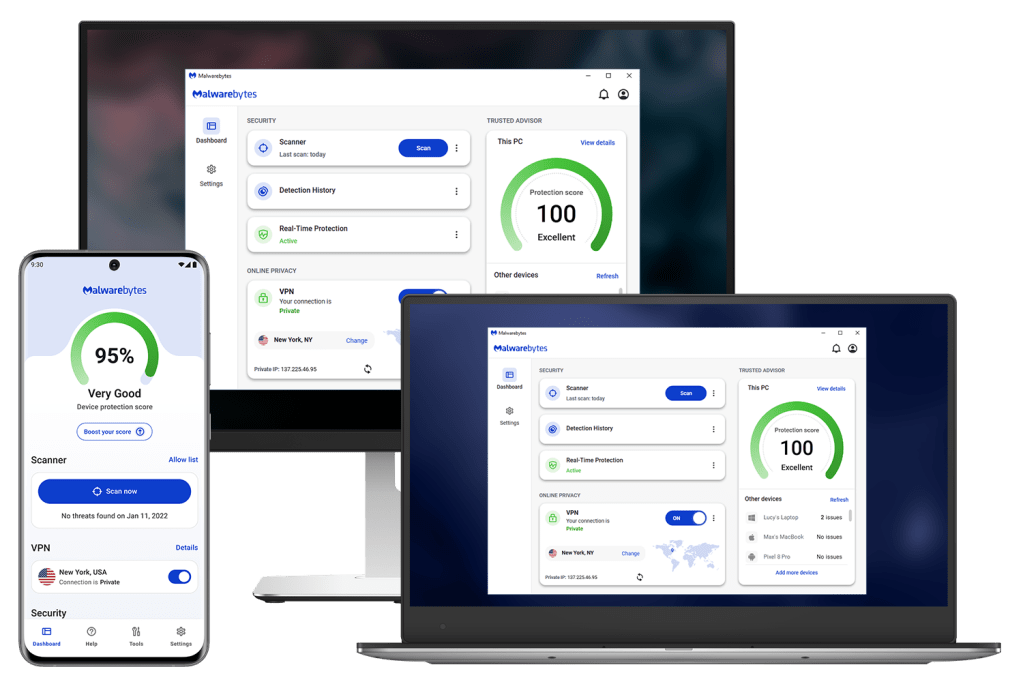
Malwarebytes is designed for a wide range of users, from individuals protecting a single device to families and small businesses securing multiple devices.
Who Should Buy Malwarebytes?
✔ Home Users
If you use your computer for everyday activities such as web browsing, online shopping, banking, streaming, or social media, Malwarebytes provides dependable protection against common online threats without requiring advanced technical knowledge.
✔ Students
Students often rely on their laptops for assignments, research, and online learning. Malwarebytes helps protect important files and personal information while running efficiently in the background, making it a practical choice for study and everyday use.
✔ Remote Workers and Professionals
For people working from home or handling sensitive information, Malwarebytes offers an extra layer of security against phishing attacks, malware, and ransomware that could disrupt productivity or compromise important data.
✔ Small Businesses
Small businesses that want straightforward cybersecurity without overly complicated management tools may find Malwarebytes to be a practical solution for protecting company devices and reducing the risk of cyber threats.
✖ Who Might Want to Consider Other Options?
Malwarebytes may not be the ideal choice for users looking for a security suite packed with additional features such as parental controls, password management, identity protection, or cloud backup. If those features are essential, comparing Malwarebytes with other security solutions is worthwhile before making a final decision.
💡 VisionTech HQ Recommendation
Ready to protect your devices?
Malwarebytes is an excellent choice for users who want reliable malware protection, a simple interface, and strong everyday security. It is particularly well suited to home users, students, remote workers, and small businesses looking for effective protection without unnecessary complexity.
👉 Check the latest Malwarebytes plans and pricing
Final Verdict
After evaluating Malwarebytes’ features, performance, ease of use, and overall value, it’s clear why the software remains one of the most respected names in cybersecurity. It offers strong malware detection, reliable real-time protection on Premium plans, and a clean, user-friendly interface that makes staying protected simple for users of all experience levels.
One of Malwarebytes’ greatest strengths is its focus on doing the essentials well. Rather than overwhelming users with unnecessary features, it delivers dependable protection against malware, ransomware, phishing attempts, and other common cyber threats while maintaining good system performance.
That said, it may not be the perfect solution for everyone. Users looking for a security suite with built-in extras such as parental controls, password management, or cloud backup may find other products better suited to those specific needs.
VisionTech HQ Rating
⭐⭐⭐⭐⭐ 4.8/5
We recommend Malwarebytes for:
- ✔ Home users
- ✔ Students
- ✔ Remote workers
- ✔ Small businesses
- ✔ Anyone looking for reliable, easy-to-use cybersecurity protection
If you’re looking for a security solution that combines strong protection with a straightforward user experience, Malwarebytes is an excellent choice and one that we can confidently recommend.
Frequently Asked Questions
Is Malwarebytes free?
Yes. Malwarebytes offers a free version that allows users to scan their devices and remove malware after an infection has been detected. However, the free version does not include real-time protection against new threats.
Can Malwarebytes replace Windows Defender?
For many users, Malwarebytes Premium provides comprehensive protection on its own. However, some people choose to use Malwarebytes alongside Windows Defender for an additional layer of security. The best choice depends on your personal security needs and preferences.
Does Malwarebytes remove viruses?
Yes. Malwarebytes is designed to detect and remove various types of malware, including viruses, ransomware, spyware, trojans, and potentially unwanted programs (PUPs).
Is Malwarebytes safe to use?
Yes. Malwarebytes is a well-established cybersecurity company, and its software is trusted by millions of users worldwide. Downloading it from the official Malwarebytes website helps ensure you’re getting a genuine and secure version.
Which devices does Malwarebytes support?
Malwarebytes is available for Windows, macOS, Android, iPhone, iPad, and Chromebook. Support and available features may vary depending on the operating system and subscription plan.
Is Malwarebytes worth paying for?
If you’re looking for real-time protection, ransomware defense, and phishing protection, the Premium version offers significantly more features than the free version. For users who want continuous protection rather than occasional malware scans, a Premium subscription is generally the better choice.
Leave a Reply