
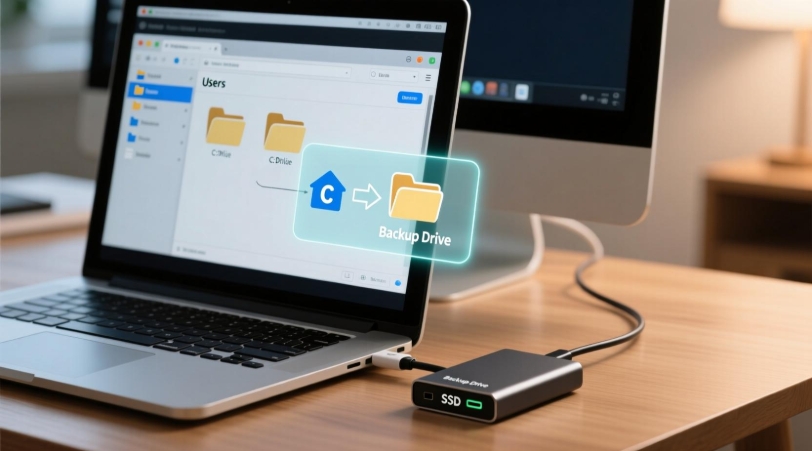
Choosing the right backup software can make all the difference when it comes to protecting your files, recovering from system failures, or upgrading to a new drive. Two of the most popular options for Windows users are EaseUS Todo Backup and AOMEI Backupper, both offering powerful backup, recovery, and disk cloning features.
While they share many similarities, there are important differences in pricing, ease of use, performance, and advanced features. The right choice depends on your specific needs, whether you’re a home user looking for simple file backups or a professional managing multiple systems.
In this comparison, we’ll compare EaseUS Todo Backup and AOMEI Backupper side by side to help you decide which backup solution offers the best value and is the better fit for your workflow.
VisionTech HQ Quick Verdict
If you’re looking for the best overall backup software, EaseUS Todo Backup is our top recommendation thanks to its polished interface, reliable backup and recovery performance, and comprehensive feature set. It’s an excellent choice for both beginners and advanced users who want a dependable all-in-one backup solution.
AOMEI Backupper, however, offers outstanding value, especially for users who need powerful disk cloning tools and flexible backup options at a competitive price. It’s easy to use, performs well, and is a strong alternative for anyone on a tighter budget.
Our Recommendation:
- Choose EaseUS Todo Backup if you want the most refined user experience, robust backup features, and excellent overall reliability.
- Choose AOMEI Backupper if you want great performance, excellent cloning capabilities, and the best value for your money.
Overall Winner: 🏆 EaseUS Todo Backup
EaseUS Todo Backup vs AOMEI Backupper at a Glance
| Feature | EaseUS Todo Backup | AOMEI Backupper |
| Best For | Home users, professionals, and businesses | Home users and small businesses |
| Operating System | Windows | Windows |
| Backup Types | File, system, disk, partition, and cloud backup | File, system, disk, partition, and cloud backup |
| Disk Cloning | Yes | Yes |
| System Cloning | Yes | Yes |
| Automatic Backups | Yes | Yes |
| Cloud Backup Support | Yes | Yes |
| Ransomware Protection | Yes | Limited |
| Ease of Use | ⭐⭐⭐⭐⭐ | ⭐⭐⭐⭐☆ |
| Free Version | Yes | Yes |
| Starting Price | Paid plans available | Paid plans available |
In the following sections, we’ll compare their features, performance, ease of use, and pricing in more detail to help you determine which backup software is the better choice for your needs.
Feature Comparison
Both EaseUS Todo Backup and AOMEI Backupper include the essential tools needed to protect your data and recover from unexpected problems. Whether you’re creating routine file backups or cloning an entire drive before upgrading your PC, both applications offer a comprehensive set of features. However, there are some notable differences in what each software provides.
| Feature | EaseUS Todo Backup | AOMEI Backupper |
| File Backup | ✅ | ✅ |
| System Backup | ✅ | ✅ |
| Disk Backup | ✅ | ✅ |
| Partition Backup | ✅ | ✅ |
| Incremental Backup | ✅ | ✅ |
| Differential Backup | ✅ | ✅ |
| Scheduled Backups | ✅ | ✅ |
| Disk Cloning | ✅ | ✅ |
| System Cloning | ✅ | ✅ |
| SSD Migration | ✅ | ✅ |
| Bootable Recovery Media | ✅ | ✅ |
| Cloud Backup Support | ✅ | ✅ |
| Backup Encryption | ✅ | ✅ |
| Compression Options | ✅ | ✅ |
| Email Notifications | ✅ | ✅ |
| Centralised Management (Business) | ✅ | ✅ |
Backup & Recovery
Backup and recovery are the core features of both EaseUS Todo Backup and AOMEI Backupper. Each allows you to create full system images, back up individual files and folders, protect entire disks or partitions, and restore your data when needed. Whether you’re recovering from a hardware failure, accidental file deletion, or a Windows issue, both applications provide reliable recovery options.
EaseUS Todo Backup offers a streamlined backup process with a modern interface that’s easy to navigate. Creating scheduled backups, restoring a system image, or recovering individual files takes only a few clicks, making it an excellent choice for beginners while still providing advanced options for experienced users.
AOMEI Backupper delivers a similarly reliable backup experience and supports all the essential backup types, including system, disk, partition, and file backups. It also offers flexible scheduling and multiple backup schemes to help reduce storage usage while keeping backups up to date.
In real-world use, both programs perform well and produce dependable backups. EaseUS Todo Backup has a slight advantage thanks to its refined workflow and intuitive recovery process, while AOMEI Backupper remains an excellent alternative for users who want robust backup capabilities without sacrificing performance.
Winner: 🏆 EaseUS Todo Backup
Disk Cloning
If you’re upgrading to a larger hard drive or replacing an HDD with an SSD, disk cloning can save you hours by copying your entire system, including Windows, applications, settings, and personal files, without the need for a fresh installation.
EaseUS Todo Backup includes powerful disk cloning tools that make migrating to a new drive straightforward. It supports disk cloning, system cloning, and partition cloning, allowing users to transfer their data with minimal effort. The cloning process is simple to follow, making it suitable for both beginners and experienced users.
AOMEI Backupper is equally impressive in this area and is widely recognised for its reliable cloning capabilities. It offers intelligent cloning, which copies only the used sectors of a drive, helping reduce cloning time and allowing data to be transferred to smaller SSDs when possible. It also supports sector-by-sector cloning for users who need an exact copy of their original drive.
Both applications perform exceptionally well when it comes to disk cloning, offering fast, dependable results and an easy-to-follow workflow. While EaseUS Todo Backup provides an excellent cloning experience, AOMEI Backupper’s flexible cloning options and long-standing reputation in this area give it a slight advantage.
Winner: 🏆 AOMEI Backupper
Ease of Use
A backup solution should be simple to set up and easy to use, especially when you need to restore important files quickly. Both EaseUS Todo Backup and AOMEI Backupper feature clean interfaces and straightforward workflows, making them accessible to users of all experience levels.
EaseUS Todo Backup stands out with its modern, polished design. The dashboard is well organised, and common tasks such as creating backups, scheduling jobs, restoring files, and cloning drives are clearly presented. New users can get started with minimal learning, while advanced settings remain easy to find when needed.
AOMEI Backupper also offers a user-friendly experience with a logical layout and clearly labelled tools. While the interface isn’t quite as modern as EaseUS Todo Backup, it’s responsive, easy to navigate, and provides quick access to all essential backup and cloning features.
Overall, both applications are easy to use, but EaseUS Todo Backup has a slight edge thanks to its more refined interface and smoother user experience, making it the better choice for users who value simplicity and efficiency.
Winner: 🏆 EaseUS Todo Backup
Performance
When it comes to performance, both EaseUS Todo Backup and AOMEI Backupper deliver fast, reliable backups and restores without placing excessive strain on system resources. The actual speed will depend on factors such as your hardware, storage device, and the amount of data being processed, but both applications are well-optimised for everyday use.
EaseUS Todo Backup performs efficiently during backup, recovery, and cloning operations. It handles large backup jobs smoothly and offers incremental and differential backups to reduce backup times and save storage space after the initial full backup.
AOMEI Backupper is equally dependable and is known for its stable performance, particularly during disk cloning and system migration. It also supports incremental and differential backups, helping users complete regular backups more quickly while minimising storage usage.
In everyday use, the performance difference between the two programs is minimal. Both complete backup and recovery tasks quickly and reliably, making either an excellent choice for protecting your data. Since neither software has a clear performance advantage in most real-world scenarios, this category ends in a tie.
Winner: 🤝 Tie
Pricing
Both EaseUS Todo Backup and AOMEI Backupper offer free versions, making them accessible to users who only need basic backup and recovery features. However, unlocking advanced capabilities such as system cloning, premium support, and enhanced backup options requires a paid plan.
EaseUS Todo Backup provides a generous feature set in its free version, while its paid plans add advanced backup, recovery, cloning, and security features for users who need more comprehensive protection. It’s a good option for individuals, professionals, and businesses looking for a polished, all-in-one backup solution.
AOMEI Backupper also offers a capable free edition, with paid plans introducing additional cloning features, backup management tools, and business-oriented functionality. Its pricing is generally competitive, making it an attractive choice for users who want excellent value without sacrificing essential features.
Since pricing and promotions can change over time, it’s always worth checking the latest plans before making a decision.
Pricing Winner: 🏆 AOMEI Backupper — It delivers excellent value for money while still offering a comprehensive set of backup and cloning features.
Pros & Cons
EaseUS Todo Backup
Pros
- ✅ Modern and intuitive user interface
- ✅ Comprehensive backup, recovery, and cloning features
- ✅ Reliable system image and file recovery
- ✅ Fast backup and restore performance
- ✅ Suitable for beginners and advanced users
- ✅ Free version available
Cons
- ❌ Some advanced features require a paid plan
- ❌ Can be more expensive than some competitors
- ❌ Certain features are limited in the free edition
AOMEI Backupper
Pros
- ✅ Excellent value for money
- ✅ Powerful disk and system cloning capabilities
- ✅ Easy to use with a clean interface
- ✅ Reliable backup and recovery performance
- ✅ Flexible backup scheduling and management
- ✅ Free version available
Cons
- ❌ Interface feels slightly less polished than EaseUS Todo Backup
- ❌ Some advanced tools are only available in paid editions
- ❌ Fewer premium features compared to EaseUS Todo Backup
Both applications are excellent choices for Windows users and provide dependable backup and recovery solutions. EaseUS Todo Backup stands out with its polished user experience and broader feature set, while AOMEI Backupper excels in affordability and cloning performance, making it a strong alternative for users seeking the best value.
Which One Should You Choose?
Choosing between EaseUS Todo Backup and AOMEI Backupper ultimately comes down to your priorities and budget.
Choose EaseUS Todo Backup if you want a polished, beginner-friendly backup solution with a modern interface, reliable backup and recovery tools, and a well-rounded feature set. It’s an excellent choice for users who value ease of use and an overall refined experience.
Choose AOMEI Backupper if disk cloning is your top priority or if you’re looking for excellent value for money. It offers dependable backup and recovery features, powerful cloning capabilities, and competitive pricing, making it a great option for home users and small businesses.
Our Recommendation
After comparing both applications across key categories, EaseUS Todo Backup comes out ahead as the overall winner. While AOMEI Backupper excels in cloning and affordability, EaseUS Todo Backup provides the better all-round experience thanks to its intuitive interface, comprehensive features, and consistent performance.
If you’re looking for the best balance of usability, functionality, and reliability, EaseUS Todo Backup is the backup software we recommend for most Windows users.
Final Verdict
Both EaseUS Todo Backup and AOMEI Backupper are excellent backup solutions that provide reliable protection for Windows users. They offer essential features such as system imaging, file backups, scheduled backups, disk cloning, and recovery tools, making either one a solid choice for safeguarding your data.
If you’re looking for the most polished all-round experience, EaseUS Todo Backup is our top pick. Its intuitive interface, comprehensive feature set, and dependable performance make it suitable for beginners, professionals, and anyone who wants a hassle-free backup solution.
On the other hand, AOMEI Backupper remains an outstanding alternative, particularly for users who prioritise disk cloning or want excellent functionality at a competitive price. It delivers impressive performance and represents great value without compromising on core backup features.
VisionTech HQ Rating
- EaseUS Todo Backup: ⭐⭐⭐⭐⭐ (4.8/5)
- AOMEI Backupper: ⭐⭐⭐⭐☆ (4.6/5)
Our recommendation is EaseUS Todo Backup for most users, while AOMEI Backupper is an excellent choice if your focus is affordability and powerful cloning capabilities. Whichever you choose, you’ll be investing in a reliable solution to help protect your files and recover from unexpected data loss.
Frequently Asked Questions (FAQ)
Is EaseUS Todo Backup better than AOMEI Backupper?
Both are excellent backup solutions, but EaseUS Todo Backup offers a more polished user experience and a broader range of features, making it the better choice for most users. AOMEI Backupper is a strong alternative, particularly if you want excellent disk cloning capabilities and great value for money.
Does EaseUS Todo Backup have a free version?
Yes. EaseUS Todo Backup offers a free version that includes essential backup and recovery features. More advanced functionality is available through its paid editions.
Does AOMEI Backupper have a free version?
Yes. AOMEI Backupper also provides a free edition with core backup, recovery, and cloning features, while premium plans unlock additional tools and business-focused features.
Which software is better for cloning an SSD?
Both applications perform very well when cloning SSDs. However, AOMEI Backupper has a slight advantage due to its flexible cloning options and excellent reputation for disk and system migration.
Which backup software is easier for beginners?
EaseUS Todo Backup is generally easier for beginners thanks to its clean, modern interface and straightforward backup and recovery process.
Can both programs create automatic backups?
Yes. Both EaseUS Todo Backup and AOMEI Backupper support scheduled automatic backups, allowing you to back up your files, disks, or entire system at regular intervals without manual intervention.
Which backup software should I choose?
If you want the best overall experience, choose EaseUS Todo Backup. If your priority is affordability and powerful disk cloning features, AOMEI Backupper is an excellent alternative.
Leave a Reply